
MitKar – Generate Ultra-Realistic Portraits Using Google Gemini AI
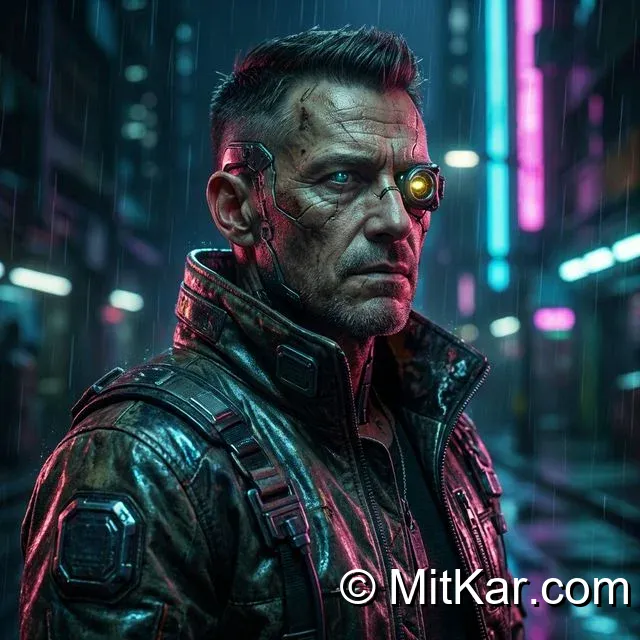
The era of clearly distinguishable AI-generated faces is rapidly coming to an end. With the most recent updates to Google Gemini's Imagen 3 model, anyone possesses the ability to type a single sentence and generate a photorealistic cinematic portrait that undeniably rivals multimillion-dollar Hollywood camera setups. However, achieving true photorealismâ€â€eliminating that plastic, glossy "AI skin" textureâ€â€requires a very specific technical prompt dialect.
In this highly technical photographic guide, we deep dive into the absolute best parameters to feed Google Gemini to consistently generate ultra-realistic portraits. We will bypass the generic filters and explicitly command the AI engine using authentic professional camera terminology.
PRO TIP: If you're also interested in generating 3D stylized cartoon figures instead of realistic humans, check out our guide on How to Create Trending 3D AI Social Media Images With ChatGPT.
The Secret Sauce: Emulating Actual Camera Hardware
The fundamental mistake beginners make is asking the AI for a "realistic picture." To the AI, that is a subjective request. Instead, you must instruct the neural network to mathematically emulate the precise physics of a physical camera lens and specific film stock.
- Focal Lengths: Always specify an exact lens. Use
Shot on 85mm lensor50mm prime lensto guarantee accurate facial proportions and natural background compression. - Aperture (Depth of Field): Command the AI to blur the background using strict aperture mechanics. E.g.
f/1.8 apertureorbokeh background. - Film Stock/Color Grading: Requesting specific analog film outputs entirely removes the digital "AI gloss". E.g.
Kodak Portra 400 film,Fujifilm Superia, orCinematic color grading.
The Photorealism Master Prompt
This specific prompt has been engineered to force Gemini Advanced to prioritize microscopic texture details (like skin pores, stray hairs, and fabric weaves) while aggressively destroying the typical smooth AI aesthetic. Tap to copy, and substitute the subject descriptor to match your exact vision.
Ultra-realistic portrait photography of a [rugged cybersecurity expert in a neon-lit futuristic alley/beautiful model in a sunlit Parisian cafe]. Shot on a Sony A7R IV, 85mm f/1.4 prime lens. Cinematic composition, dramatic rim lighting, soft light diffusion. The image features highly detailed skin texture, visible pores, subtle imperfections, and realistic stray hairs. Kodak Portra 400 color grading, photorealistic, 8k resolution, award-winning photography.
Analyzing the Results
When Gemini precisely processes constraints like "visible pores" and "subtle imperfections", it actively overrides its default protocol which leans towards "perfect," plasticky beauty. Perfection is inherently a hallmark of artificial intelligence. By deliberately requesting minor flaws, you create an exponentially more convincing, human-looking result. Additionally, combining this with tools like CapCut can help animate these still faces, but you might run into software glitchesâ€â€if so, reference our guide to Fix CapCut AI Garbled Text Errors.