
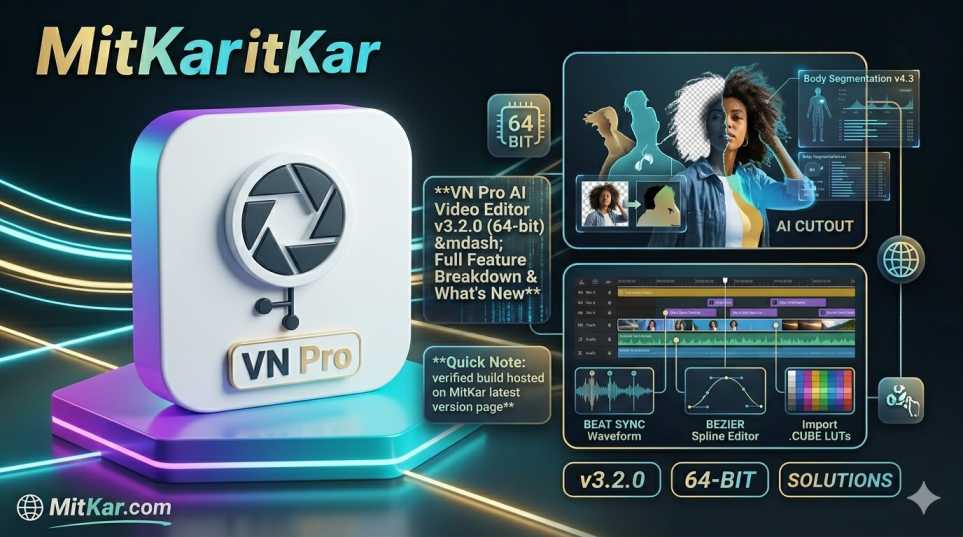
The wait is over for mobile creators. The highly anticipated VN Pro AI Video Editor v3.2.0 is finally rolling out globally. This isn't just a minor patch; it's a massive architectural shift transitioning from 32-bit to a true 64-bit engine, bringing desktop-grade Pro features directly to your smartphone.
Whether you are a casual TikTok editor or a professional colorist relying on advanced Pro features, the v3.2.0 update changes everything. In this exclusive MitKar breakdown, we will dive deep into every new AI feature, UI change, and under-the-hood optimization.
1. VN Pro v3.2.0 (64-bit) — Release Overview
VN Video Editor v3.2.0 represents a major milestone for the application. Moving to a strictly 64-bit architecture allows the app to address more memory and utilize advanced mobile GPUs natively. The APK size has grown slightly to accommodate the new AI models, sitting at roughly 185 MB.
The internal changelog highlights a heavy focus on AI integration. By upgrading the core rendering engine, the developers have eliminated the notorious timeline lag that occurred when stacking multiple 4K video layers. This release closes over 30 performance-related tickets and introduces a suite of "Magic Tools" designed to speed up short-form content creation.
2. Headline Features in the v3.2.0 Build
Five major additions take center stage in VN Pro v3.2.0, fundamentally altering how creators interact with the timeline.
AI Auto Captions
The new AI engine transcribes voiceovers locally on your device in seconds. It perfectly syncs text to audio and offers dynamic subtitle animations popular on TikTok and Shorts.
AI Cutout (No Green Screen)
Isolate subjects from complex backgrounds with a single tap. The 64-bit engine tracks edges flawlessly, allowing for professional VFX and layering without needing a physical green screen.
Keyframe Easing Curves
VN finally brings desktop-level animation controls. You can now adjust the Bezier curves of your keyframes for incredibly smooth "ease-in" and "ease-out" motion graphics.
Cinematic Color LUTs
The color grading panel has been completely overhauled. It now supports importing high-fidelity .CUBE files faster and applies cinematic filters without dropping timeline frame rates.
Smart Auto-Sync (Beat Sync)
Drop your video clips and a music track; VN will intelligently analyze the audio waveform and automatically cut and transition your clips right on the beat.
3. The New AI Engine — Cutout & Captions
The standout achievement of v3.2.0 is the introduction of a robust AI Magic Suite. By leveraging the 64-bit architecture, VN can now perform heavy neural network calculations directly on your smartphone's GPU (like Snapdragon's Adreno or MediaTek's Mali).
The AI Cutout tool is particularly impressive. Previously, removing backgrounds on mobile resulted in jagged edges around hair or fast-moving subjects. The v3.2.0 model calculates alpha channels at a sub-pixel level, making composite videos look seamless. Furthermore, the Auto Captions feature processes speech-to-text locally, ensuring your data remains private while generating highly accurate subtitles for vlogs and podcasts.
4. 4K 60fps Export Settings & Performance
A frequent issue creators face is losing video quality after uploading to platforms like Instagram or TikTok. VN v3.2.0 addresses this with an optimized H.265 (HEVC) export pipeline. To achieve the absolute best quality, use these exact settings in the new build:
- Resolution: Set to 4K (if your source is 4K) or strictly 1080p for social media.
- FPS (Frames Per Second): Lock this at 60 FPS for buttery-smooth motion, especially if your video contains speed ramps.
- Average Bitrate (Mbps): Do not leave this on 'Default'. Switch to 'Manual' and set it between 30 Mbps and 50 Mbps. This forces the app to retain maximum detail.
- Hardware Encoding: Ensure this toggle is active in the settings menu to utilize your device's native rendering chip, reducing export times by up to 40%.
5. UI / UX Refinements on the Timeline
VN has always been praised for its clean, ad-free interface, and v3.2.0 polishes it further. The timeline tracks are now more distinct, with better color-coding for audio, text, and PIP (Picture-in-Picture) layers.
The magnetic snap feature has been fine-tuned. When dragging clips or trimming, the playhead "snaps" to the beat markers of your audio track much more accurately. Additionally, the asset library loads previews instantly, a huge relief for editors managing hundreds of stock footage clips.
6. Critical Bug Fixes & Stability Patches
The shift to 64-bit allowed the development team to squash several persistent bugs that plagued the older 32-bit versions.
7. Device Compatibility & RAM Requirements
Because VN Pro v3.2.0 leverages advanced AI features, the hardware requirements have slightly increased to ensure a stable experience.
- Minimum Requirements: Android 9.0+, 4 GB RAM, 64-bit processor (arm64-v8a).
- Recommended for 4K Editing: Android 12+, 6 GB to 8 GB RAM, Snapdragon 7-series / MediaTek Dimensity 800-series or higher.
- Storage: The app requires at least 3 GB of free internal storage to manage cache files and temporary rendering data smoothly.
8. Older Versions vs v3.2.0 — Side-by-Side Comparison
If you are still using an older build like v2.13.2, the jump to v3.2.0 is massive. Here is how they stack up in real-world performance.
9. How to Get the v3.2.0 Update Safely
As with all major app updates, security is paramount. Avoid downloading APK files from unverified third-party forums.
The cleanest, Play Protect verified build of VN Pro v3.2.0 is available on our dedicated downloads hub. Visit the MitKar VN Pro Download page to securely upgrade your application.
10. Frequently Asked Questions
11. Final Verdict
The leap to VN Pro v3.2.0 (64-bit) is not just a minor patch; it is a foundational upgrade. The addition of desktop-class features like Bezier keyframes and AI Cutouts bridges the gap between mobile editing and professional PC software.
For creators looking to streamline their workflow, generate auto-captions instantly, and export crisp 4K 60fps videos without the app crashing, updating to v3.2.0 is an absolute necessity.
To dive deeper into advanced editing techniques, check out our guide on the latest tech solutions and templates on MitKar.